How I Send Instant Discord Alerts for New GHL Leads
-
 Farhad Hossen
 - Automation
- 22 Aug, 2026
New leads sit in the CRM until someone logs in and checks. Wait a few hours, or a day, and the lead already has a response from another vendor. They convert somewhere else.
I wanted new lead notifications pushed straight to the channel where the sales team actually lives. For me, that’s Discord.
I used GoHighLevel because that’s the CRM I was working in. The same pattern works for any CRM that can send a webhook.
GHL’s native way to push this out is a custom webhook. It costs extra per sub-account. For something this basic, I didn’t want to pay for it every time.
I built a free workaround using n8n as the bridge. Setup took about 30 minutes. It’s been running clean since.
The problem
GHL’s native webhook dumps a fixed payload. Discord webhooks expect a strict format, either {"content": "..."} or {"embeds": [...]}. GHL doesn’t send that shape.
Skip the paid add-on and send a raw webhook straight to Discord. It gets rejected, or it shows garbage.
You need something in between. It catches the GHL payload, pulls the fields you want, and reformats it the way Discord expects.
That’s what n8n does here. Free middleware, sitting between the two.
This isn’t specific to GHL either. Swap GHL for HubSpot, Pipedrive, or whatever CRM you’re on. The same bridge works as long as it can fire a webhook.
The setup
Data flow: Website form → GHL workflow (task + email + webhook) → n8n webhook node → Discord.
Step 1: Build the n8n relay
Create a new n8n workflow. I named mine GHL -> Discord | New Lead Alert.
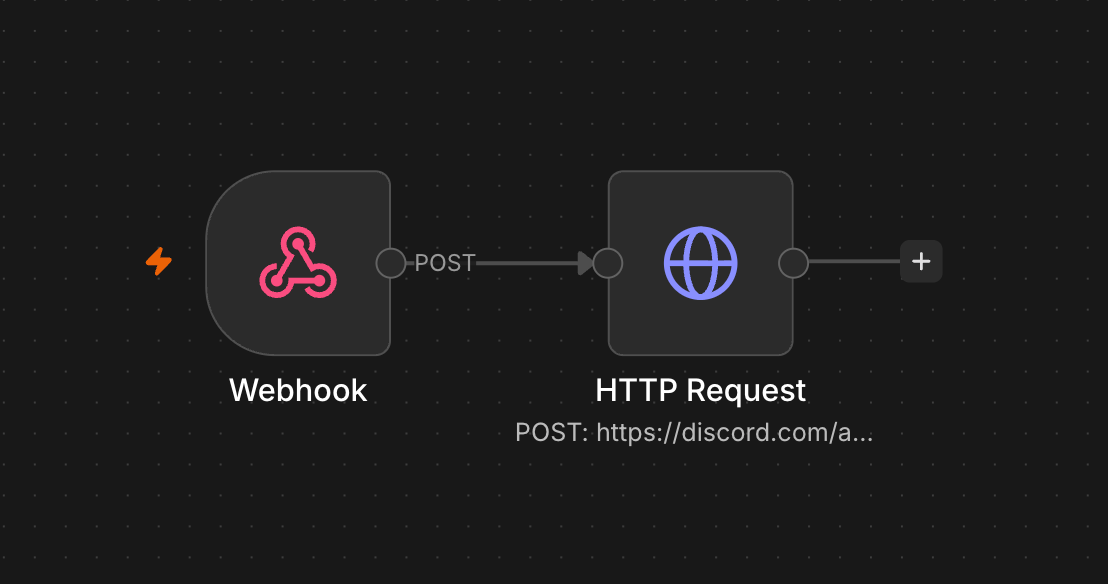
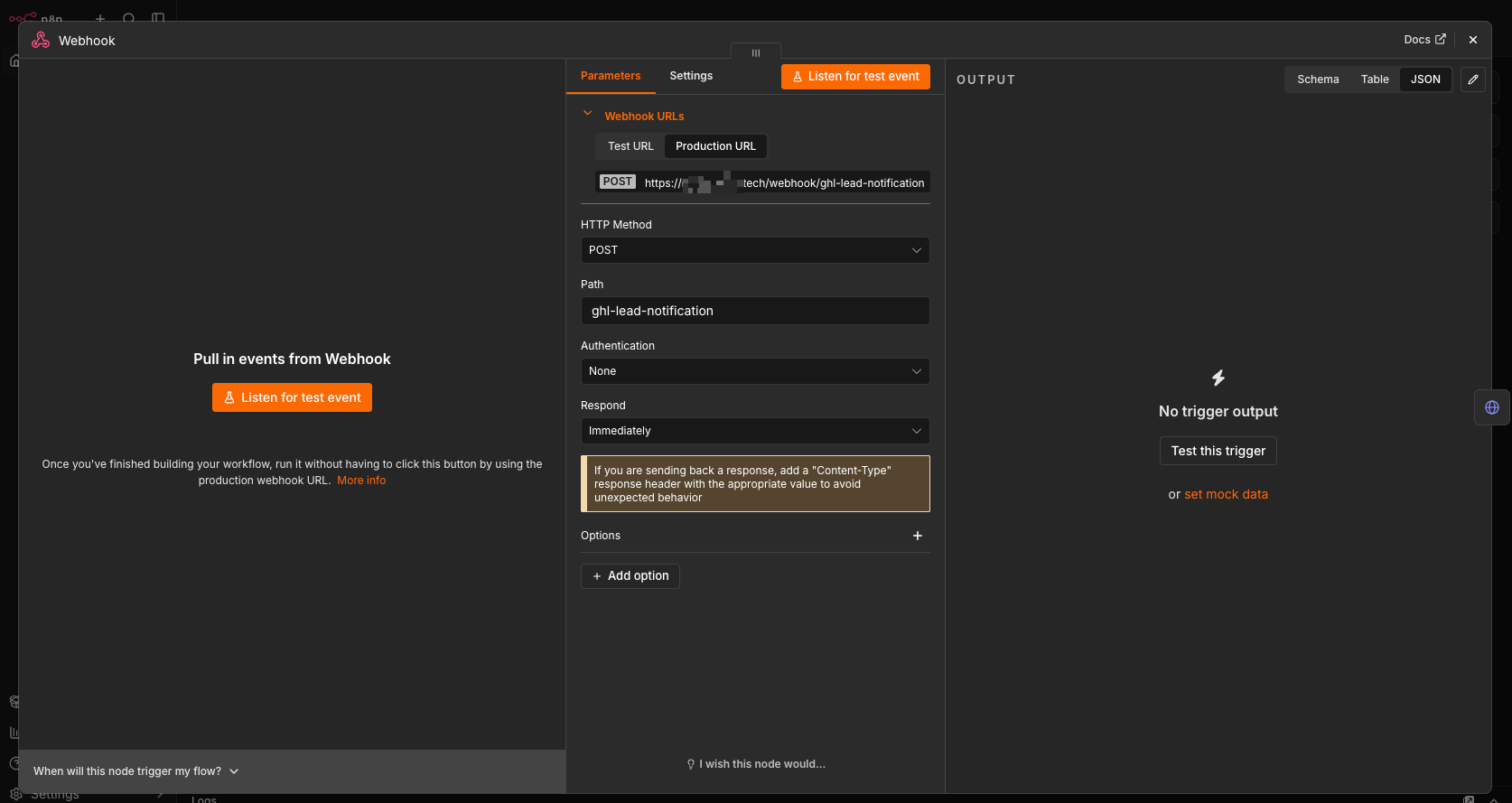
Add a Webhook node:
- Method: POST
- Path:
ghl-lead-notification - Authentication: None
- Respond: Immediately
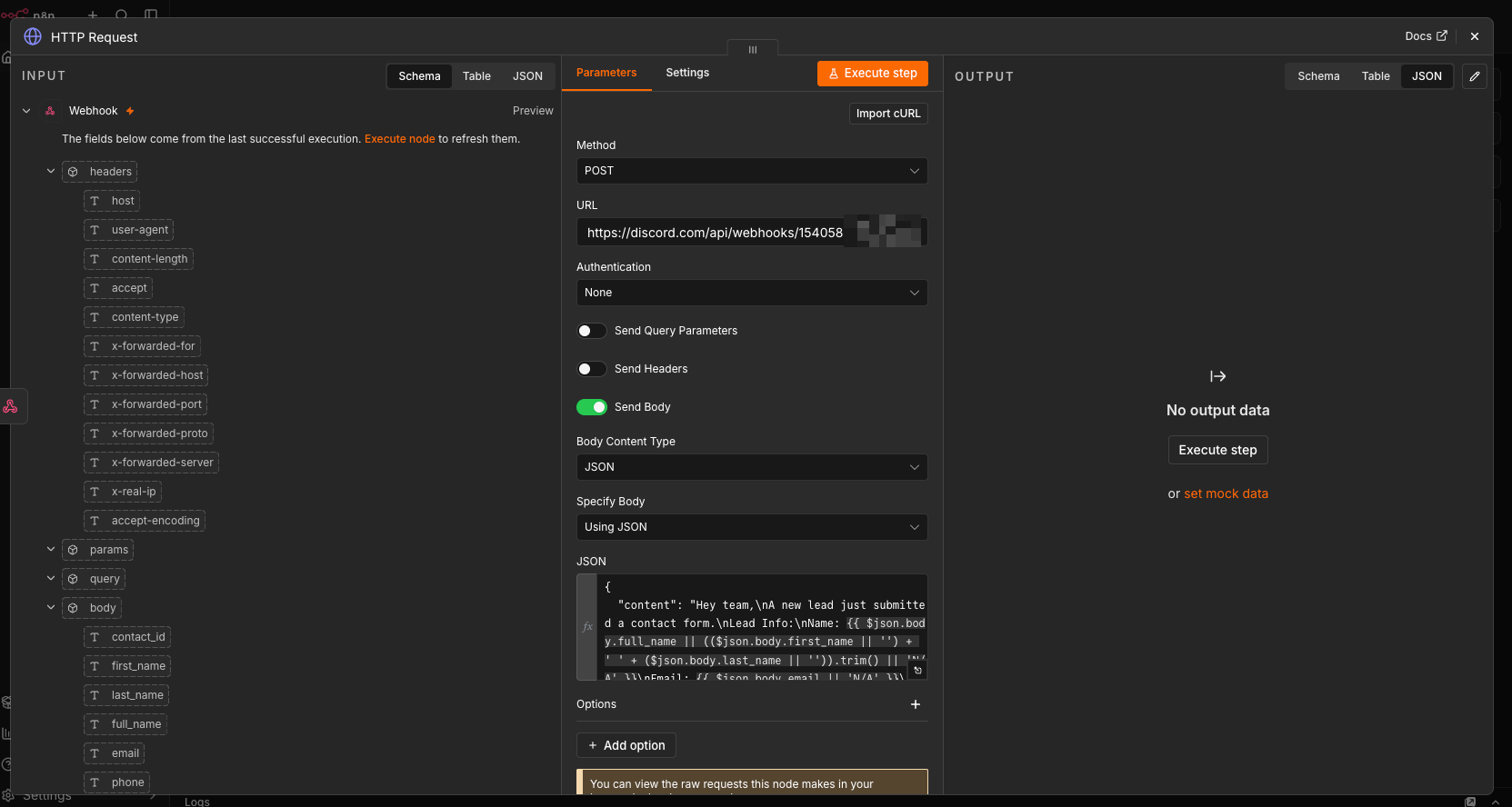
Connect an HTTP Request node to it:
- Method: POST
- URL: your Discord webhook URL
- Body: JSON, using expressions to pull the lead’s name and email out of the incoming payload
Something like:
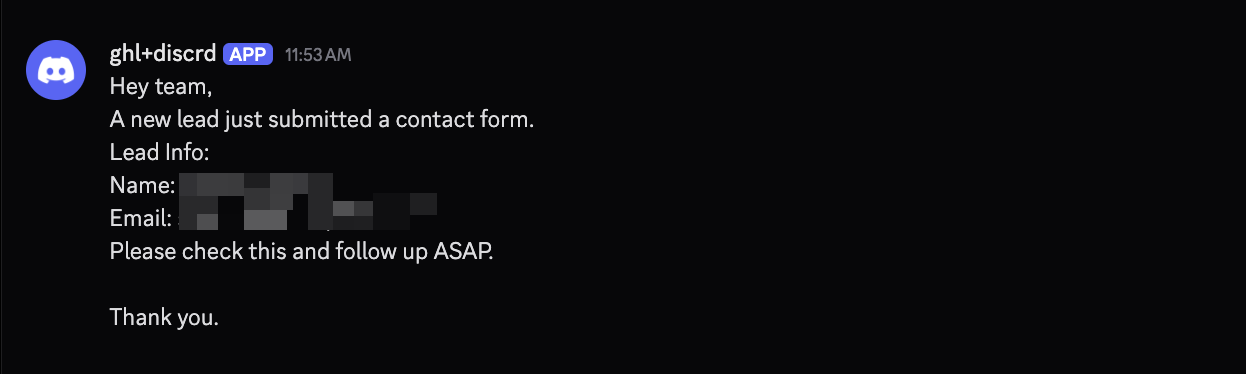
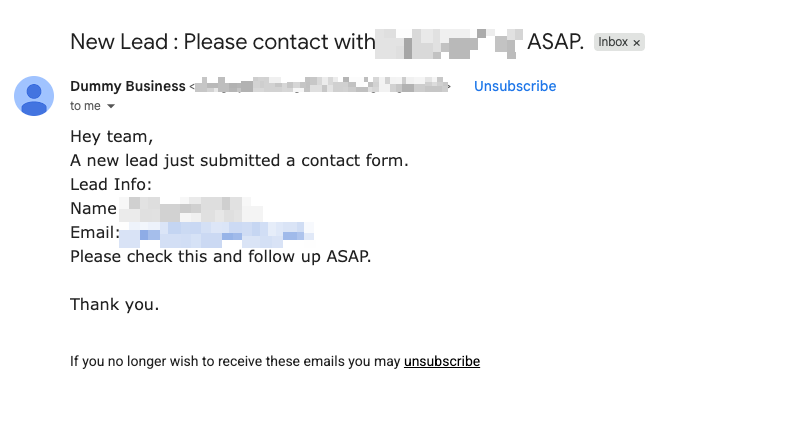
Hey team,
A new lead just submitted a contact form.
Name: {{ $json.body.full_name || first_name + last_name || 'N/A' }}
Email: {{ $json.body.email || 'N/A' }}
Please check this and follow up ASAP.
Save it.
Step 2: Build the GHL workflow
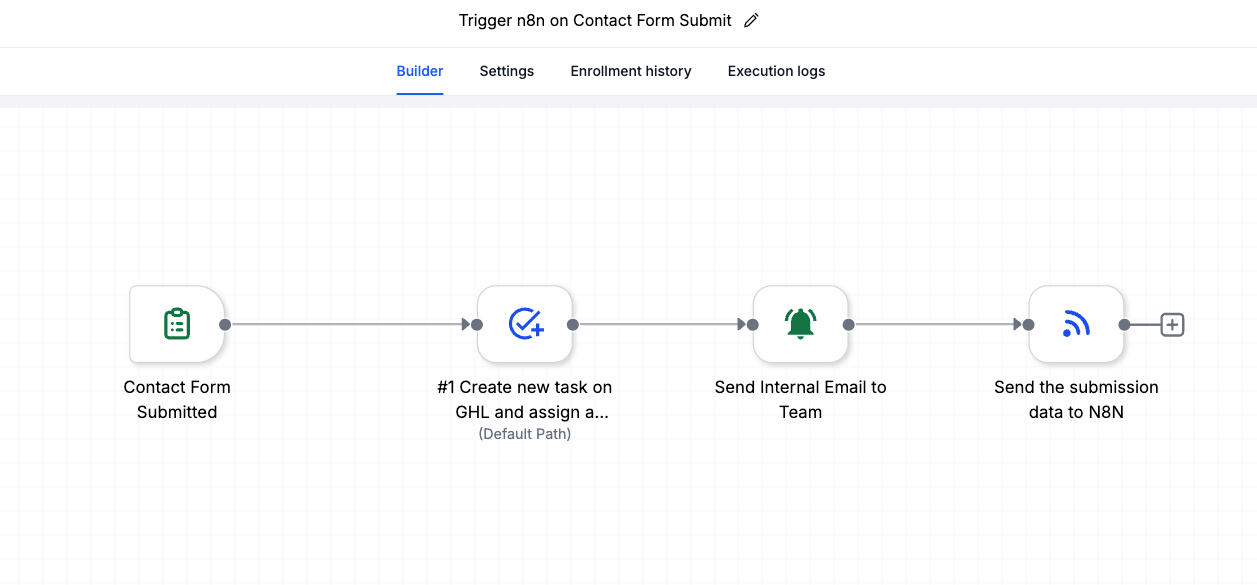
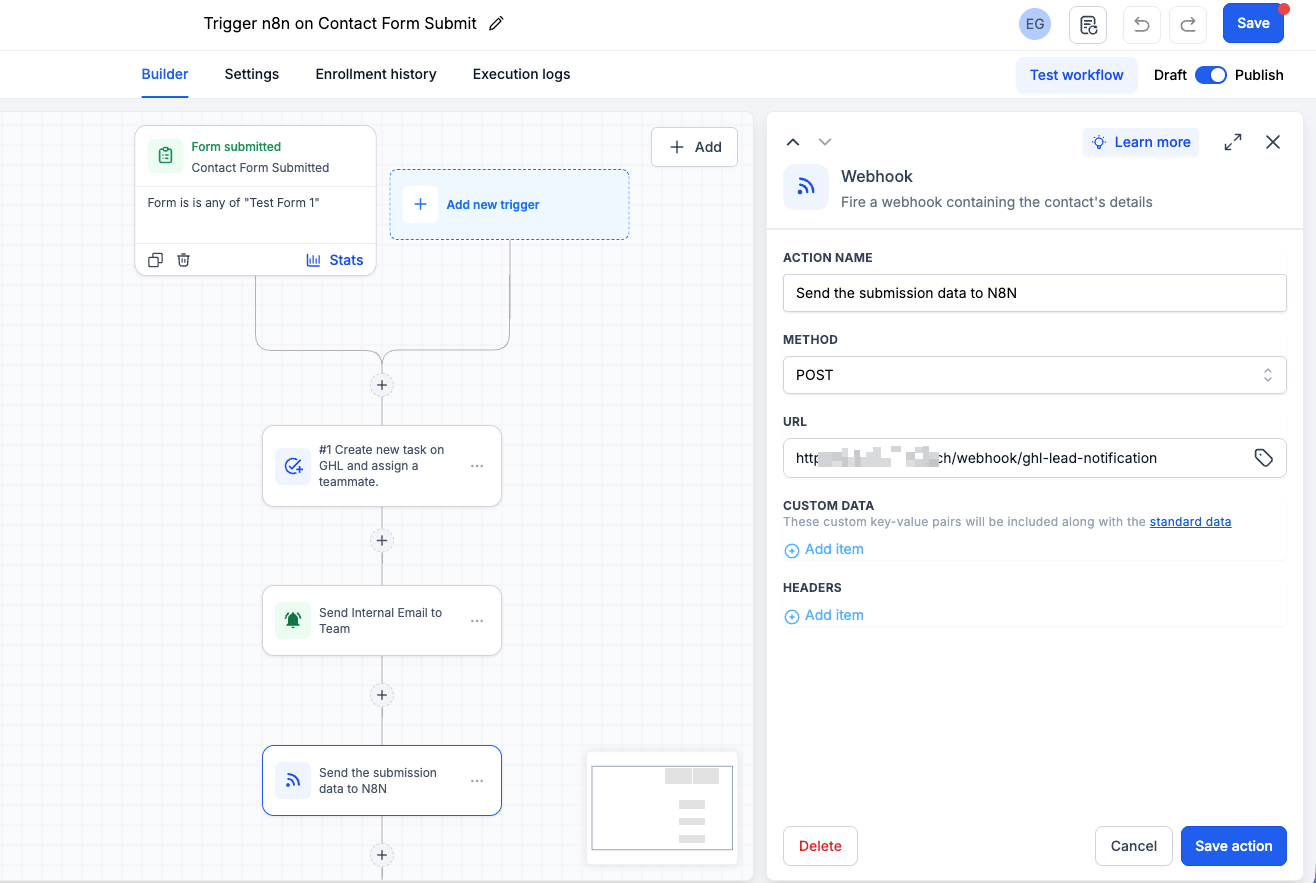
In GHL, go to Automation > Workflows. New workflow, trigger on Form Submitted, filtered to the specific form.
Add three actions:
- Assign Task: title it something like “Follow up with new lead: {{contact.name}}”, assign to whoever owns that inbox, due in a day.
- Send Email: internal notification with the lead’s name, email, phone.
- Send Webhook: POST to your n8n webhook node’s test URL. Leave custom data and headers empty. GHL sends everything by default.
One thing that trips people up: turn on Allow Re-entry in Settings. If it’s off, repeat submissions from the same contact won’t fire the workflow again.
Step 3: Test before you trust it
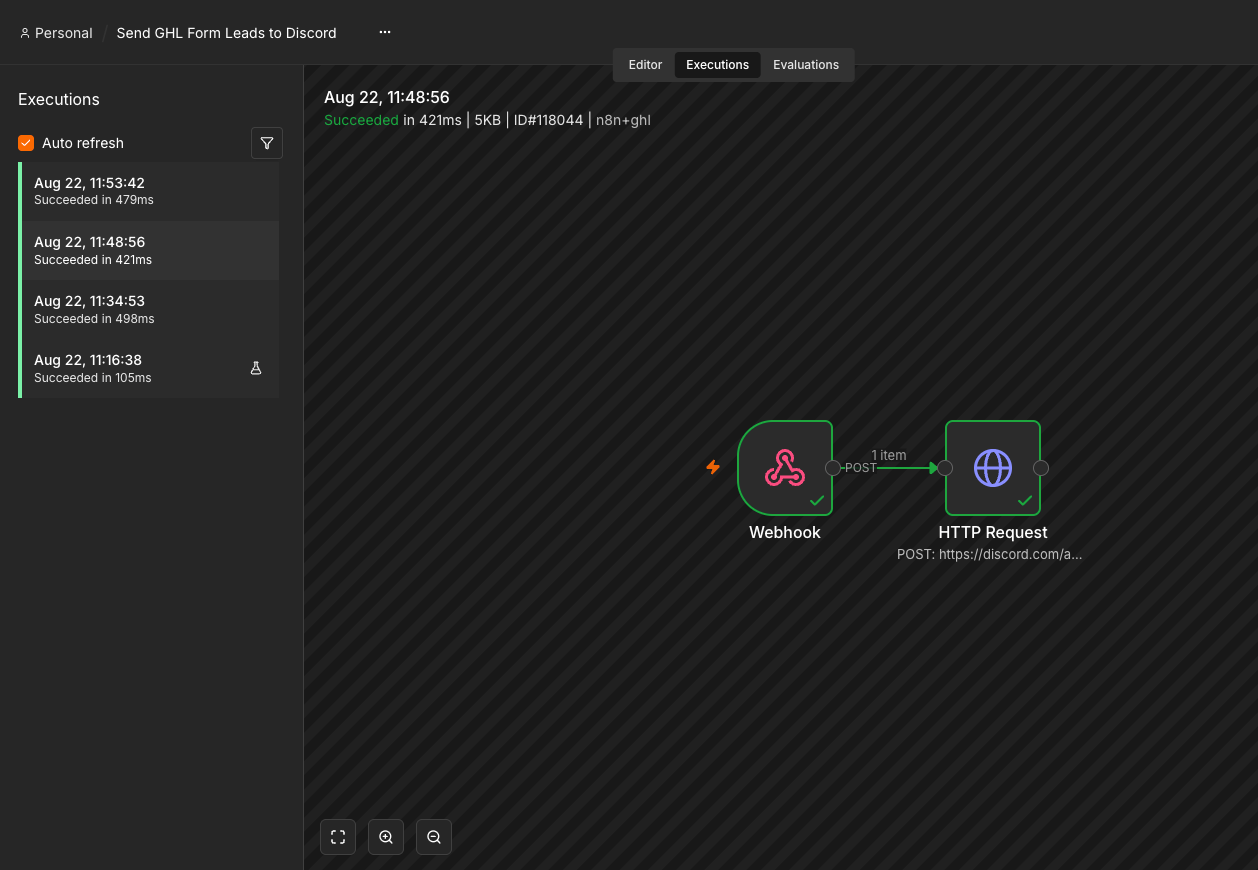
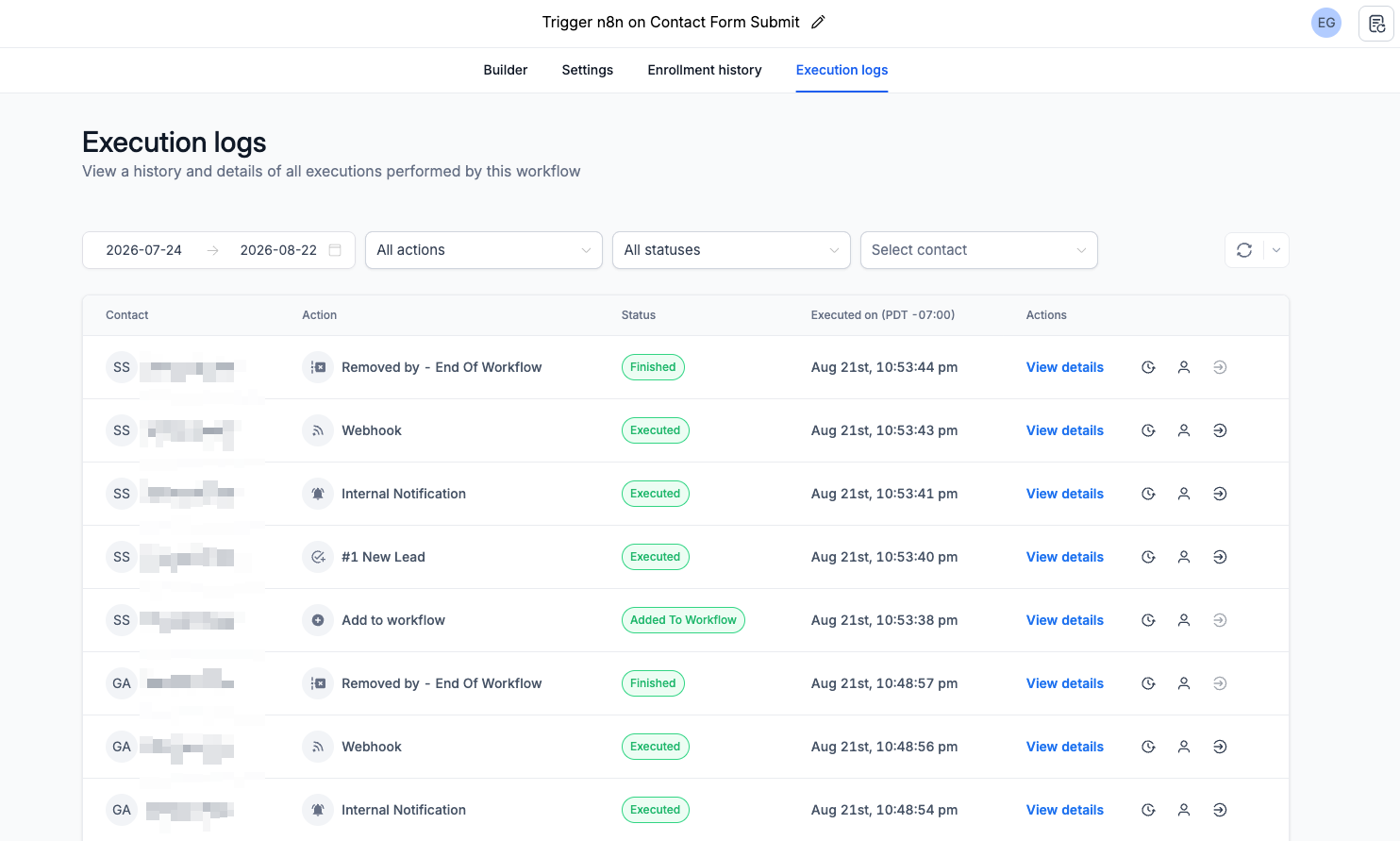
In n8n, click “Listen for test event” on the webhook node. Submit a real test entry on your live form. Check the output panel under body. Confirm the field names, first_name, last_name, email, phone, actually match what you’re referencing in your JSON. Run the HTTP Request node manually. Check Discord.
Step 4: Go live
Swap the test URL for the production URL (drop -test from the path) in the GHL webhook step. Save. Publish the GHL workflow. Flip the n8n workflow from Inactive to Active.
That’s it. Every new lead now lands in a task, an email, and a Discord ping, all from one form submission.
When it breaks
A few things I’ve hit:
- 404 on the webhook. Either GHL is still pointed at the test URL, or the n8n workflow is inactive. Check both.
- Form submits but nothing happens in GHL. Usually the form is custom HTML instead of a native GHL embed. Or you tested with a contact that already existed and had Allow Re-entry turned off.
- Discord shows N/A everywhere. Your n8n JSON is referencing field keys that don’t match the actual payload. Pull an execution log and check the real key names.
- Nothing fires at all. Something upstream failed, usually a required field missing in the Task or Email step. GHL won’t reach the webhook step if an earlier action errors out.
Why I’m sharing this
I built this so I could stop losing leads to slow response times. If you’re hitting the same wall, or want the same setup for GoHighLeve or any another CRM, follow the steps above. You’ll have it running in under an hour.
If you get stuck on a step, reach out. Happy to look at it.